June 30, 2026
HEIF vs ProRAW on iPhone - Which should you use?
Word of warning, this is a text based Article.
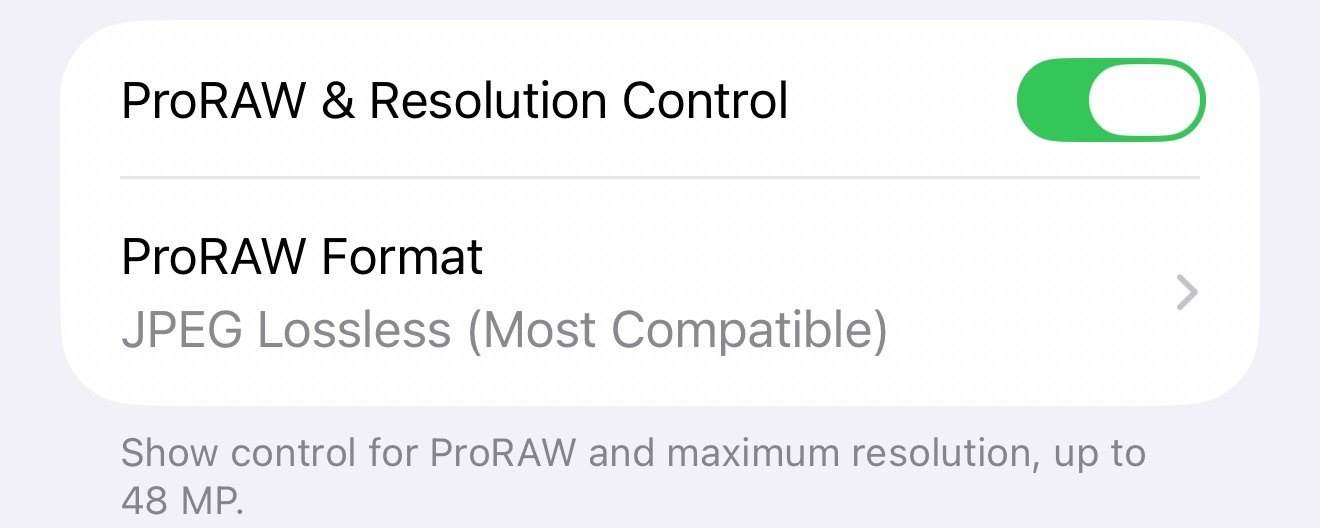
Word of warning, this is a text based Article. I won’t be including any photos as this is purely informational. If you’re curious about which iPhone camera format is best for you, keep reading!
If you’ve poked around in your iPhone’s camera settings, you’ve probably seen options for HEIF Max and ProRAW. They both give you higher resolution photos than the standard 12-megapixel shots, but they work very differently. For someone who just wants nice photos for family, social media, and the occasional edit, without turning photography into a second job, here’s a straightforward breakdown.
What Each One Actually Is
HEIF Max lets you shoot 48-megapixel photos in Apple’s efficient HEIF format. It’s basically a high-resolution version of the normal photos your iPhone takes, but with less aggressive processing and more detail captured from the sensor. The files are still pretty reasonable in size, usually around 5MB each, and you still get Apple’s behind the scenes processing allowing for less time in an editing app.
ProRAW captures a true raw file with Apple’s computational photography layered on top. It gives you the full 48 megapixels (or 12MP version) plus way more data to work with when editing. The tradeoff? Those files are huge — often 30–75MB each.
HEIF vs HEIF Max
Regular HEIF is the standard format your iPhone uses for normal photos. It is efficient, creates small files, and looks good straight out of the camera. HEIF Max is basically the high-resolution version of that same format. It uses the full 48-megapixel sensor on Pro models to capture more detail while still keeping file sizes much smaller than ProRAW (usually around 5MB per photo).
For most everyday shooting, HEIF Max gives you noticeably sharper results when you crop or zoom in later without the huge file sizes of ProRAW. If you are not planning heavy editing, it is often the sweet spot between quality and practicality.
HEIF Max: The Practical Everyday Choice
For most normal people, HEIF Max hits a really sweet spot. You get noticeably sharper photos with more detail, especially when cropping or zooming in later. The files are small enough that you can actually take a lot of them without your storage filling up overnight or your iCloud bill going crazy.
It’s also super easy to use. You can switch to it right in the Camera app with a long press, and the photos look great straight out of the camera. Sharing is simple too — they work everywhere without any extra steps. If you mostly post to Instagram, send photos to family, or do light editing in the Photos app, this is probably all you need. The quality jump from regular HEIF is real, but it doesn’t force you into a complicated workflow.
The main downside is that you have less flexibility if you want to heavily edit a photo later. You can still make adjustments, but you won’t have as much room to recover blown-out highlights or push colors without things looking off.
ProRAW: More Power, More Headaches
ProRAW is great if you love diving into editing apps like Lightroom or Photomator and want maximum control. You can push and pull the image a lot more during editing, recovering details in shadows and highlights, adjusting white balance dramatically, or making big creative changes. For landscapes, portraits you plan to print big, or anything where you want that “pro” look after heavy editing, it’s excellent.
The reality for most normal users though? Those massive file sizes add up fast. A day of shooting can eat up gigabytes of storage, and backing everything up to iCloud gets expensive quickly. Editing ProRAW files also takes more time and a stronger understanding of editing software. If you’re just cropping and tweaking exposure a little, all that extra data mostly goes to waste.
The Real-World Tradeoff for Normal People
Here’s the honest part: most of us don’t need ProRAW. The convenience and storage savings of HEIF Max win for everyday life. You still get excellent detail and quality without turning every photo into a big project. ProRAW only really makes sense if you enjoy editing, have plenty of storage (or don’t mind managing it), and actually use the extra flexibility.
For me, I keep HEIF Max on most of the time because it’s simple and the results look great for what I actually do with my photos. I’ll switch to ProRAW when I know I’m shooting something I want to spend time editing later, but 98% of my shots are HEIF Max.
At the end of the day, both options are great — it just depends on how much time and storage you’re willing to spend. Most normal people will be perfectly happy (and probably better off) sticking with HEIF Max.
-Rich | richphoto.io
Rich Photography · Lexington, Kentucky