January 24, 2026
The Best Camera is the One in Your Parka: Smartphone Winter Photography
There is a saying in photography that the best camera is the one you have with you.
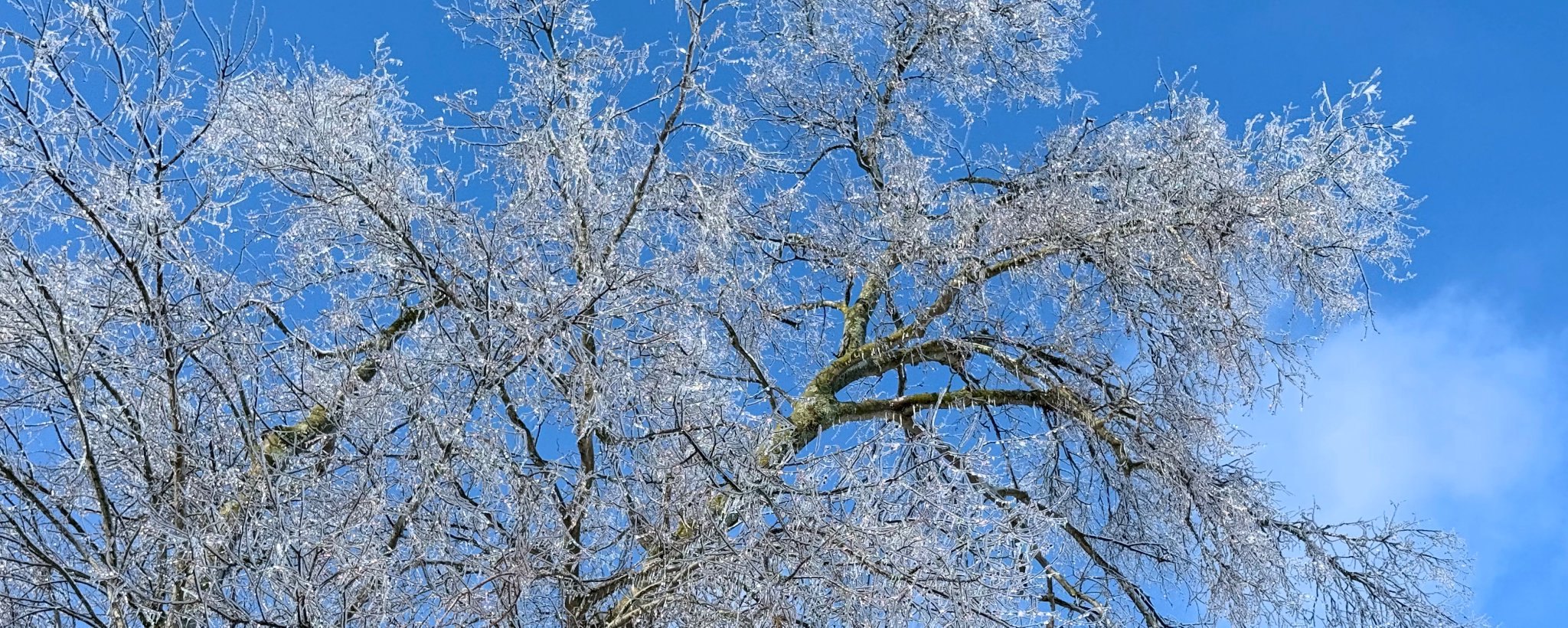
There is a saying in photography that the best camera is the one you have with you. And when it’s 10 degrees and the wind is howling, the "best" camera is definitely the one you can pull out of your pocket, snap a shot with, and shove back into warmth within 15 seconds.
Smartphones have gotten insanely good at handling high-contrast scenes, which makes them surprisingly capable winter shooters. In fact, their computational photography (the software processing) often handles bright snow better than a raw image from a big, expensive camera.
But, shooting mobile in the cold has its own quirks. Here is how to get those crisp, professional-looking winter shots without freezing your fingers off.
1. Outsmarting the "Auto" Brain
Just like big cameras, phones get confused by all that white snow. If you just point and shoot, your phone will try to dim the scene, turning that brilliant white blizzard into a murky grey sludge.
The Fix: You have to override the brain. On almost every phone (iPhone or Android), you can tap the screen to focus on your subject, and you’ll see a little sun icon appear next to the focus box.
Slide that sun icon up.
Watch the screen until the snow looks bright white again (but not so bright that it loses all texture).
Bonus: If you tap and hold, you can "lock" the exposure so it doesn’t shift around while you frame the shot.
2. The Battery Drop is Instant
Smartphone batteries hate the cold even more than DSLR batteries do because the device is thinner and has less insulation. You might walk out with 80% battery and watch it turn red and shut down after five minutes in the wind (slight exaggeration haha)
The Strategy: Keep the phone in an inner pocket, inside your coat, right against your body heat. Do not keep it in your pants pocket (too cold) or hold it in your hand while walking. Treat it like a holster draw: pull it out only when you see the shot, take it, and put it right back against your chest.
3. The "Volume Button" Hack
Trying to tap a touchscreen shutter button while wearing thick winter gloves is a nightmare. You usually end up taking a burst of 50 photos or missing the shot entirely because your glove didn't register on the screen.
The Fix: Use the hardware buttons. On most phones, pressing the Volume Up or Down button acts as a shutter release. It’s much easier to feel for a physical button through a thick glove than it is to tap a glass screen. Alternatively, if you use wired headphones or have a smartwatch, use those as a remote trigger so you don't have to take your hands out of your pockets at all.
4. Get Low (and Protect the Lens)
Since you are shooting with a smaller device, you have the advantage of agility. You can get a phone into nooks and crannies where a big lens wouldn't fit.
Drop the phone down into the snow (gently!). Getting the lens right near the ground makes the snow texture look massive and dramatic in the foreground.
Crucial Note: Check your lens frequently. Snowflakes love to land on that tiny piece of glass. Because the depth of field is so wide on phones, a single snowflake on the lens won't look like a cool blur; it will look like a muddy smudge that ruins the whole photo. Wipe it with a microfiber cloth (not your wet glove) before every shot.
5. Embrace "Portrait Mode" for Details
Winter isn't just about landscapes; it's about details—berries covered in ice, a frozen leaf, or icicles on a fence.
Smartphones have wide-angle lenses by nature, which can make these details get lost. Switch to Portrait Mode (or use your telephoto lens if you have the "Pro" model). This does two things: it zooms you in slightly, and it artificially blurs the background. This separates that frozen berry from the messy bushes behind it, giving you that "professional" look that usually requires a big, expensive lens.
6. The Edit is Everything
The flat light of winter can sometimes make phone photos look a bit dull straight out of the camera. The secret sauce is almost always Contrast and Structure (or "Clarity").
Open your photo in your favorite app (even the default editor is fine).
Bump the Contrast slightly to make the dark trees stand out against the white snow.
Increase Structure/Clarity to bring out the crunchiness of the ice crystals.
If the snow looks blue, warm up the Temperature just a hair.
7. The Snowflake Challenge (Macro on a Mobile)
Okay, let’s talk about the "boss fight" of winter photography: capturing an individual snowflake. You’ve seen those incredible shots where the crystal looks like a piece of jewelry. Believe it or not, you can get surprisingly close to that with a phone, but you need a little help.
Most stock phone cameras can't focus close enough to fill the frame with a single flake. You have two options here:
The "Crop" Method: Shoot with your main lens (not the wide angle) at its closest focus distance, ensure it's razor sharp, and crop in heavily later. (Best for newer phones with high megapixels).
The "Clip-On" Method: Buy a cheap clip-on macro lens for your phone. They cost about $15–$20 online and they are a game-changer for this specific task.
Some smartphones also now have the ability to use wide and telephoto lenses for macro photography. Check and see if the option is available in the camera app.
Once you’re ready to shoot, here is the secret technique:
The "Dark Wool" Trick: Do not try to photograph a snowflake falling on snow; it just disappears into white-on-white. Catch the falling snow on a dark glove, a black scarf, or a dark wool coat sleeve. The dark fabric absorbs the light, making the white crystal pop, and the tiny fibers of wool hold the flake up so it doesn't melt instantly.
Move You, Not the Focus: Macro depth of field is paper-thin. Instead of tapping the screen to focus (which will likely miss the tiny flake), tap and hold to lock your focus at the closest possible distance. Then, physically move your phone back and forth a millimeter at a time until the flake snaps into sharpness.
Watch Your Heat: Remember, your phone is a little heater. If you hover over the flake for too long, the heat radiating from the device will melt your subject before you hit the shutter button. Be quick!
Winter mobile photography is all about speed and convenience. You’re nimble, you’re light, and if you manage your exposure right, you can capture some absolute magic before your coffee even gets cold.
Rich Photography · Lexington, Kentucky